You talk.
It takes notes.
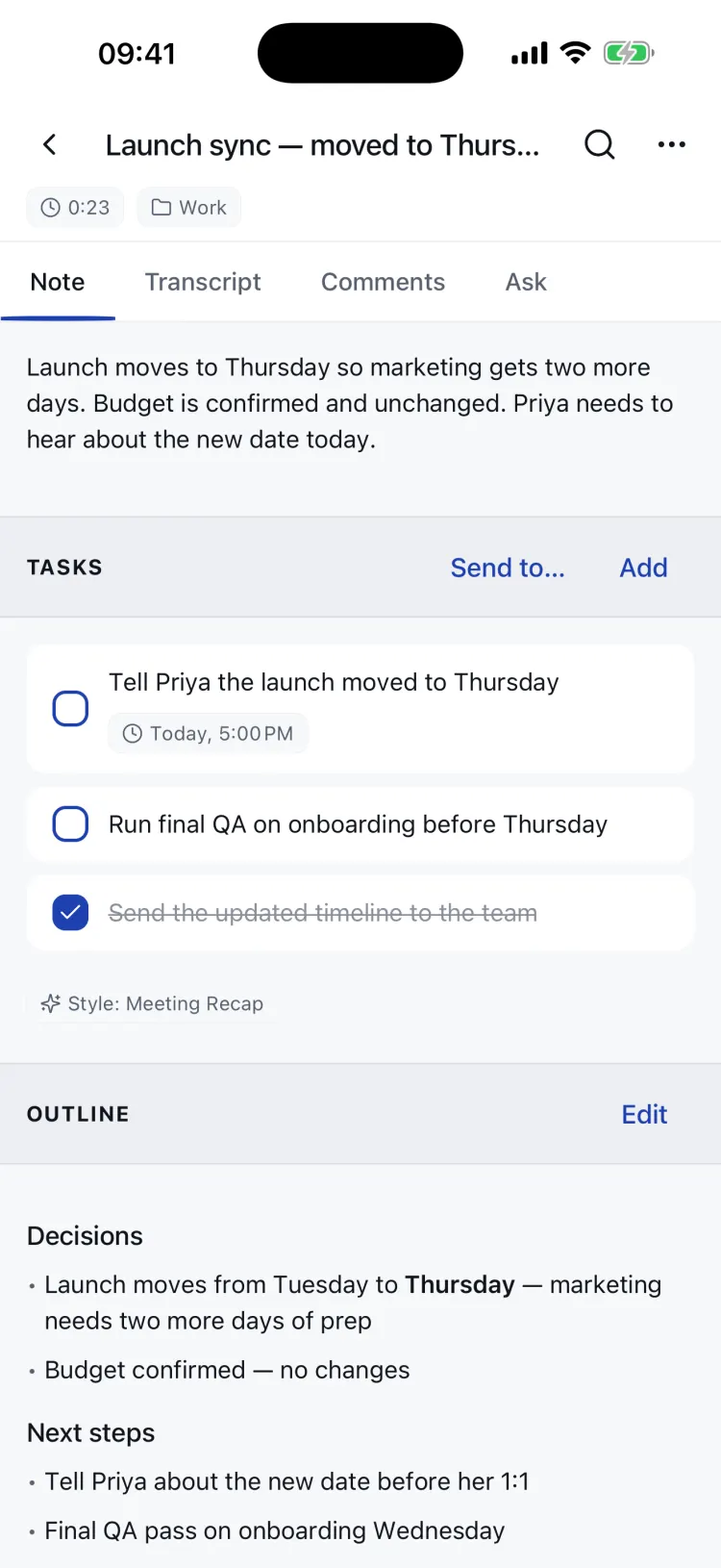
Say it the messy way: half a thought on the walk home, three to-dos buried in the middle. You get back a clean, structured note, every task on one list, and an assistant that files, renames, and schedules when you tell it to.
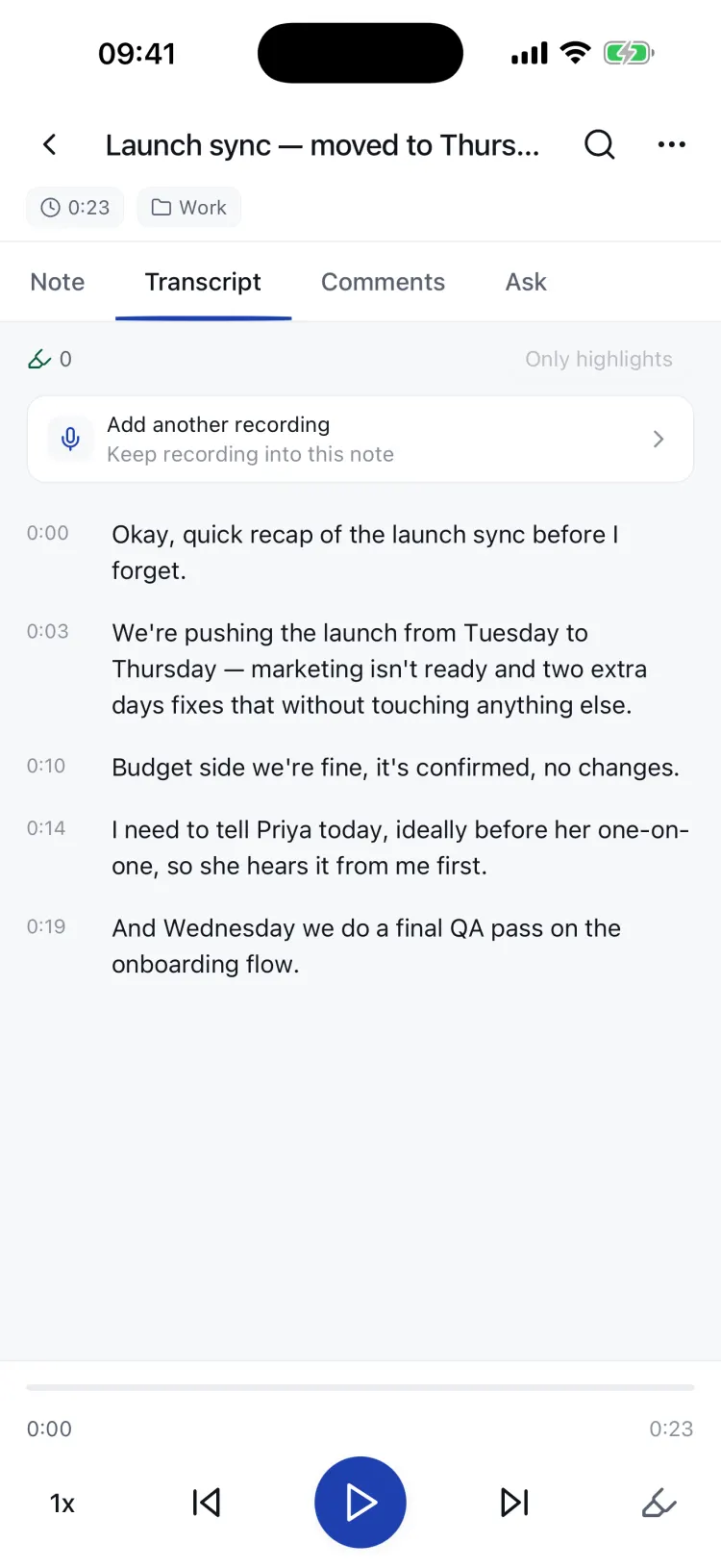
Most voice apps hand you back a wall of text.
A transcript isn't a note, and it definitely isn't a to-do list. The work of reading it back, pulling out what you promised, filing it somewhere, still lands on you.
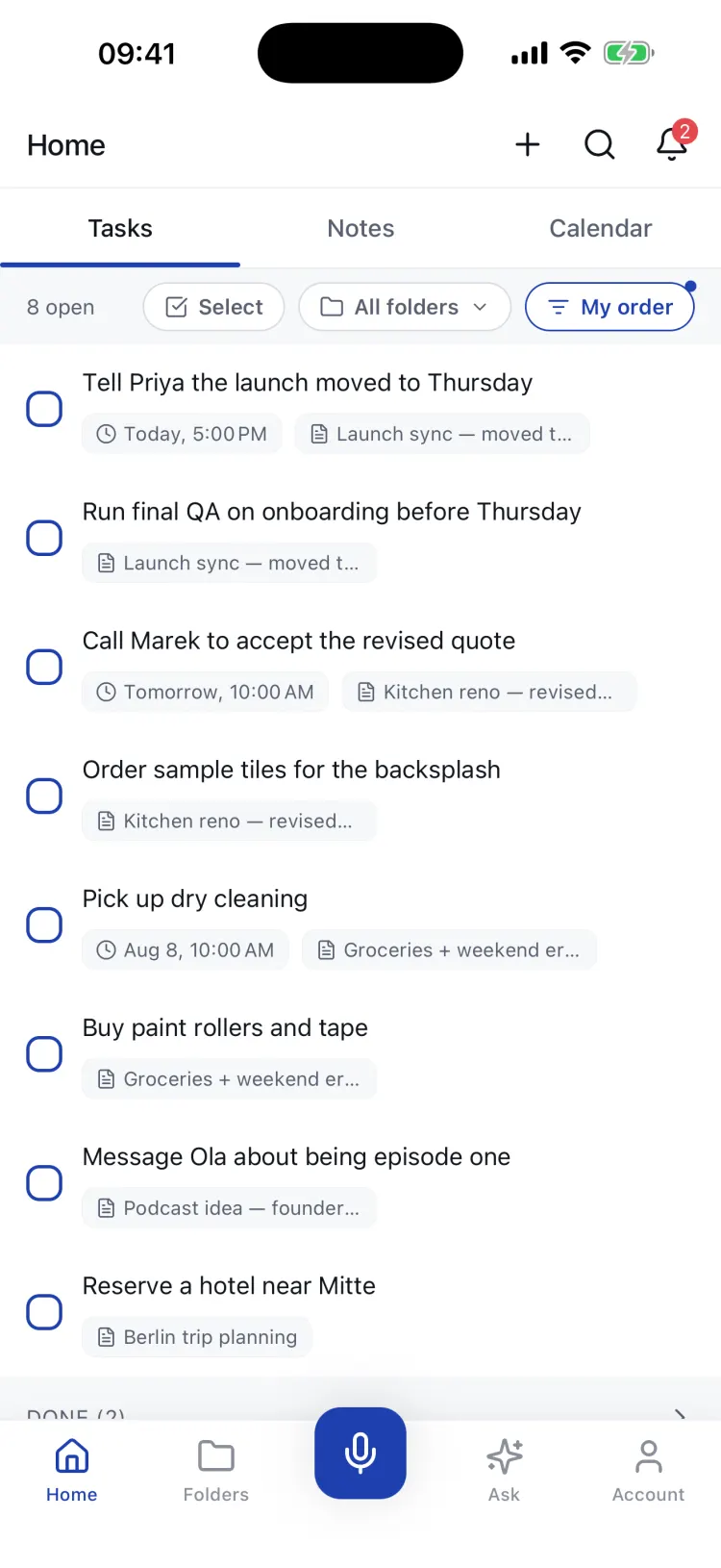
Tasks from every note collect in a single list you can group by folder or due date, with a calendar for the week ahead. Not stranded inside the recording that produced them.
Tap any action item to jump to the exact second you said it. If the AI invented something, you'll know in one tap.
Markdown, plain text, PDF or the raw audio, plus one tap to Apple Notes, Obsidian or Notion. Tasks push to Apple Reminders, Google Tasks and Google Calendar.
Three steps. You only do the first one.
Talk
Open the app and start. Recording lives right in the note, so there's no sheet to dismiss and nothing to set up first. Ramble, backtrack, trail off. It's fine.
Up to 5 minutes a recording free, 60 minutes on Premium
It transcribes
The transcript streams in live while you speak, in your language. On newer iPhones it happens right on the phone; the cloud steps in when needed. Your custom vocabulary keeps names and jargon intact.
Or download an offline model and audio never leaves the device
It writes the note
A summary, clean formatting, and the to-dos lifted out and filed. Pick the shape it takes: a meeting recap, a standup, a journal entry, a brain-dump, or a style of your own.
Edit anything; it's your note, not a black box
What happens after you stop talking
Real screens, not mockups. This is the app you'll open.
Every to-do leaves the note behind
Anything that sounded like a commitment becomes a task: a due date if you said one, and a link back to the second you said it. Notes are where tasks come from; the Tasks tab is where they get done.
- One list across every note, grouped by folder, due date, or your own order
- A calendar tab with your week, overdue pile, and events from Google Calendar
- Subtasks, reminders, attachments, and a dictation mic on every field
Say what should happen. It happens.
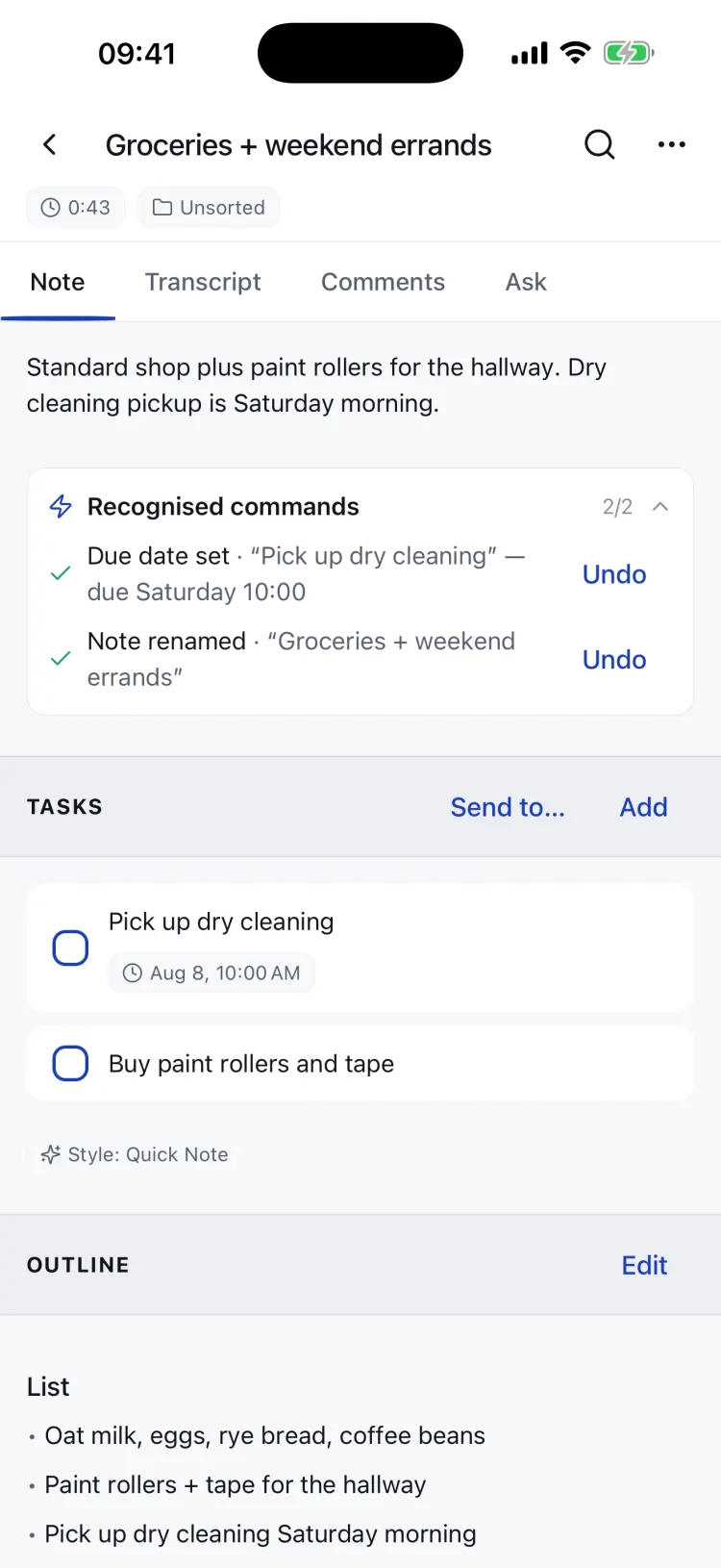
Finish a thought with "call it Groceries and remind me Saturday at ten" and the note renames itself and the due date is set, while you watch. No menus, no edit mode.
- A receipt for every action, so you always see what the AI did
- Undo on every receipt, one tap to put it back the way it was
- Speak a task from anywhere: the widget, your watch, or the app
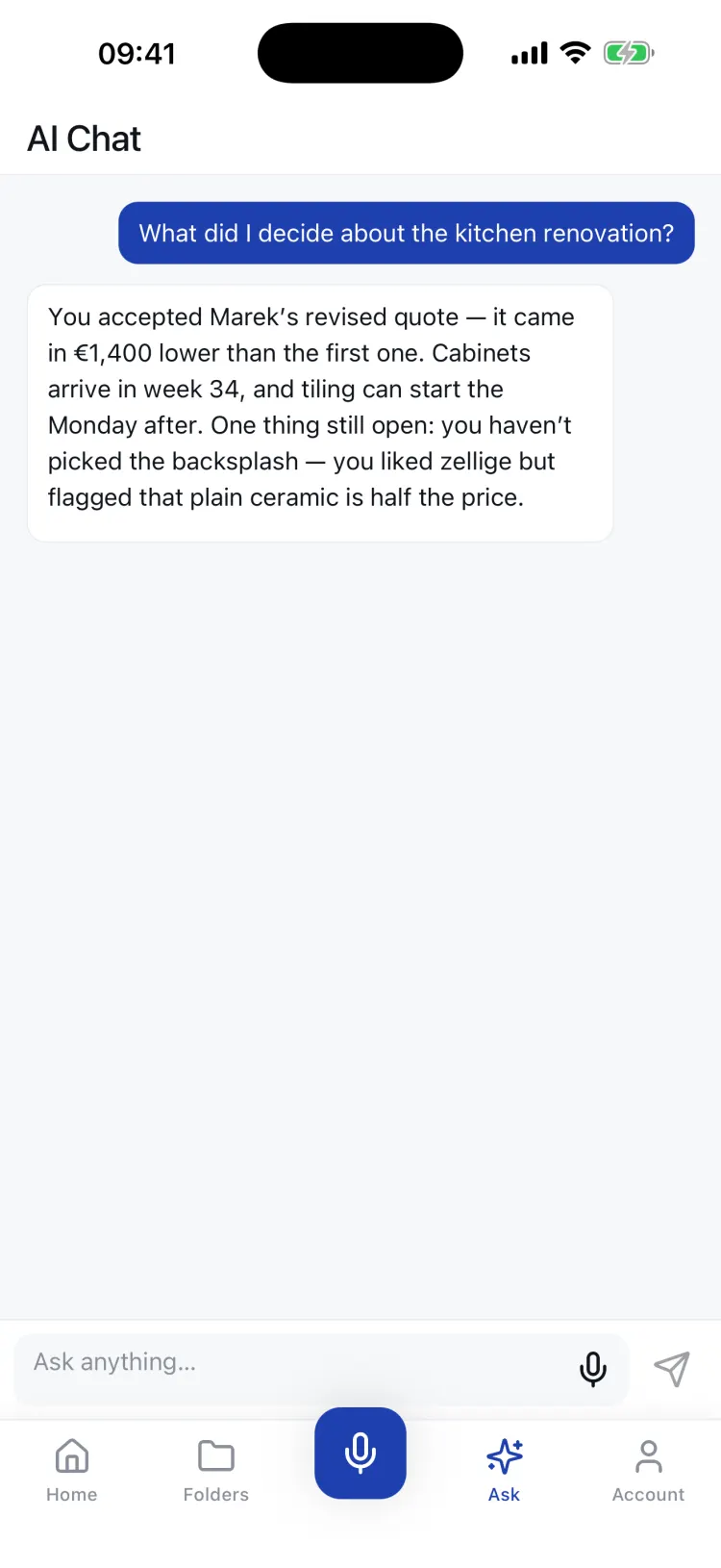
Your notes, answered
"What did I decide about the kitchen renovation?" Ask in plain language and get an answer drawn from everything you've said, not a list of search hits.
- It acts, too: ask it to file notes, set dates, or tick tasks, and confirm before it does
- Ask inside one note or one folder when you want a narrower answer
- It knows today's date, so "what's due this week" means this week
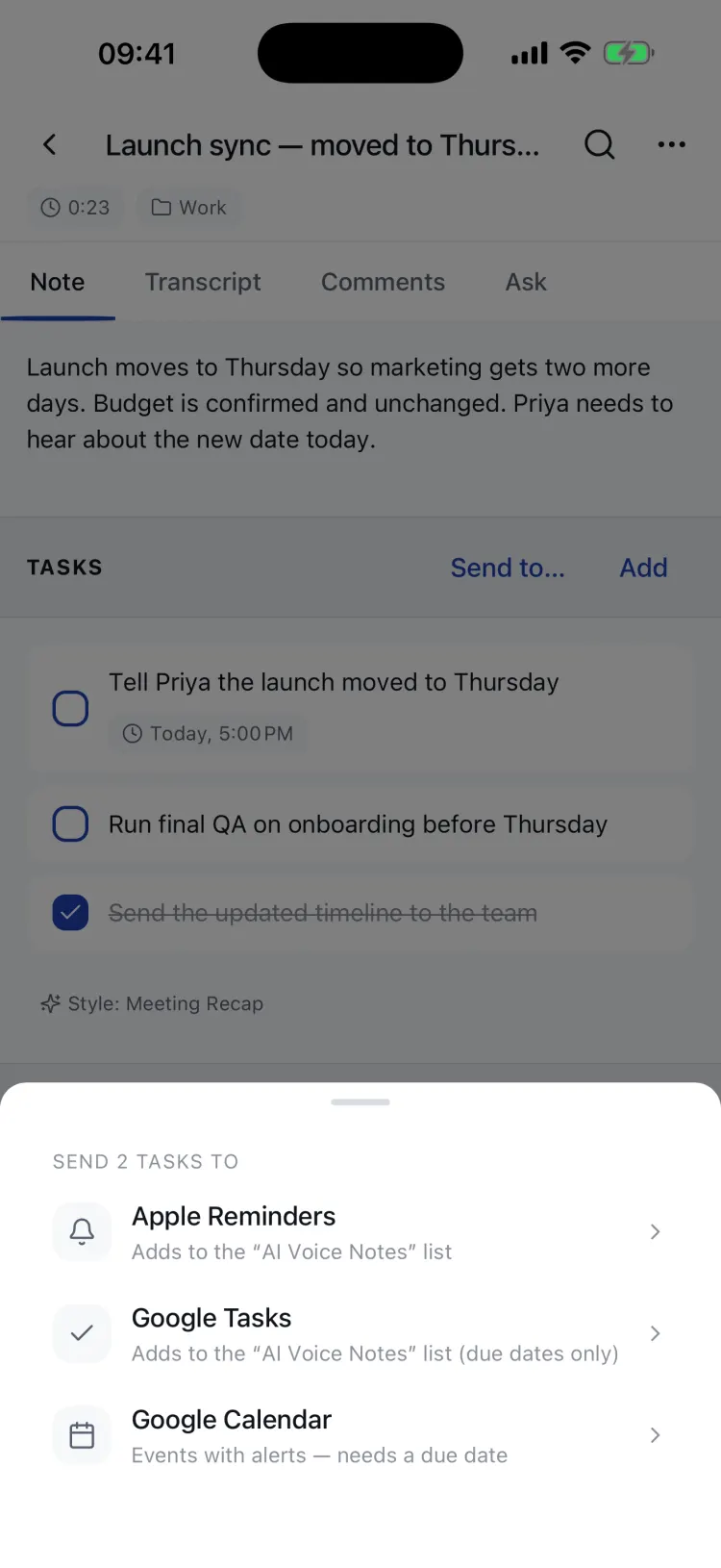
It plays nice with your tools
Your notes shouldn't need a new system. Push what the app found into the places your life already runs.
- Tasks go to Apple Reminders, Google Tasks, or Google Calendar, and can keep going automatically
- Notes export as Markdown, plain text, PDF, or audio, and send to Notion, Obsidian, or Apple Notes
- Sharing: send a note as a link; comments and task assignment included
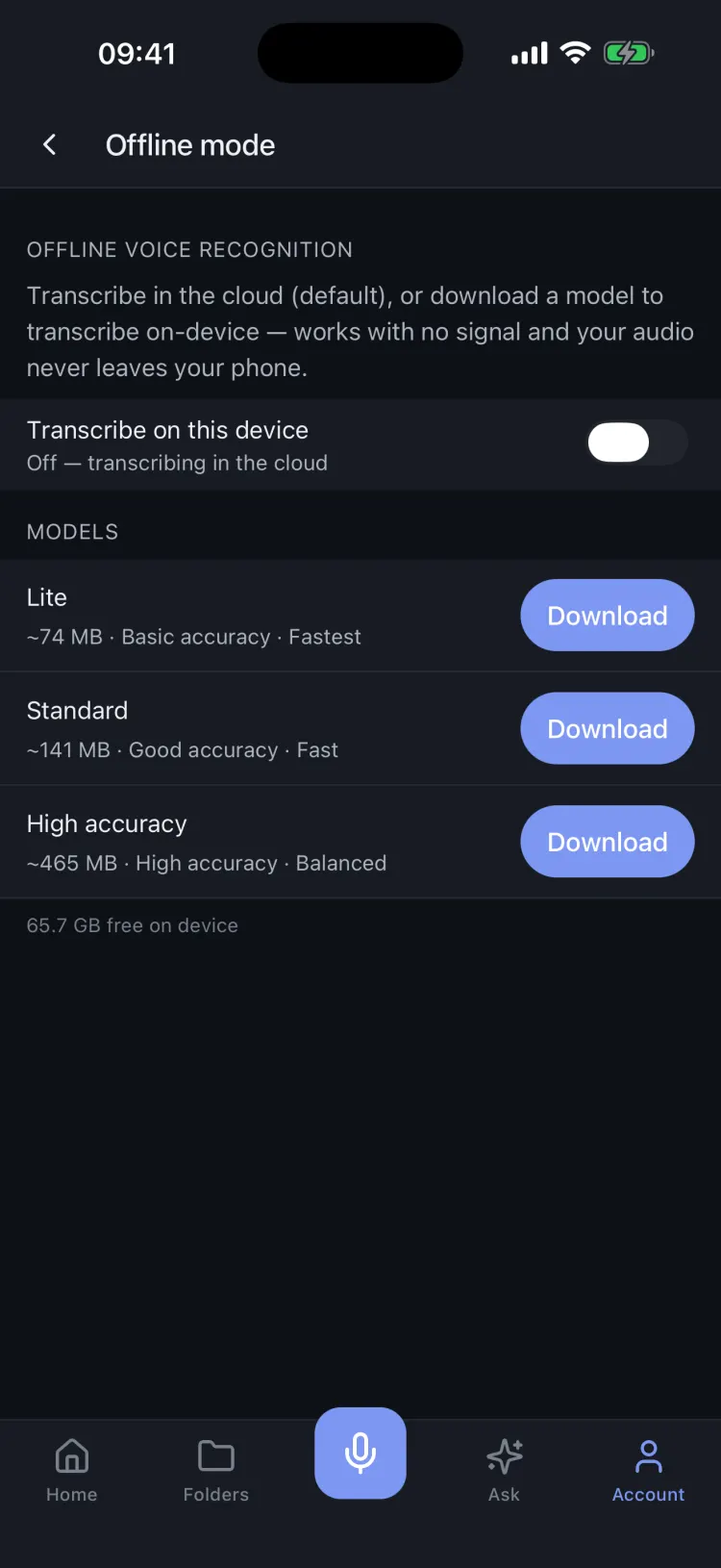
Works in airplane mode
Download a model once and transcription runs entirely on your phone, no signal needed. On newer iPhones, even the AI summary can be written on the device.
- Recording always works offline; anything queued catches up when you're back
- Three model sizes, from 74 MB and fast to 465 MB and precise
- And yes, a proper dark mode, everywhere in the app
Built for people who talk all day
Folders and Spaces
Folders keep a project together; Spaces group folders one level up. Every folder gets its own tasks, notes, and an AI chat scoped to just what's inside it.
Meetings, with speakers
Record a meeting and get a recap that knows who said what. Speakers are labelled and renameable, and every task remembers whose voice it came from.
A day with bookends
A morning brief with today's tasks and a suggested focus, an evening wind-down, and a weekly review of what you decided and what's still open.
Notes in your shape
Meeting Recap, Standup, Journal, Brain-dump, or a custom style of your own. Tell the app about yourself once and every summary comes back in your context.
Findable a month later
Full-text search across notes, transcripts, and tasks. Highlight a line while the audio plays and it stays marked, timestamp attached.
Yours, and only yours
Lock the app behind Face ID, export everything whenever you like, and delete a note, a recording, or the whole account permanently.
Capture where you are. Finish where you want.
One account, four surfaces. Everything syncs, including the audio.
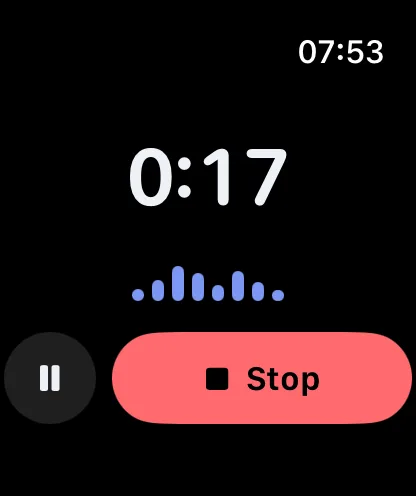
Apple Watch
Say a note or a task from your wrist. It lands in the app, already transcribed.
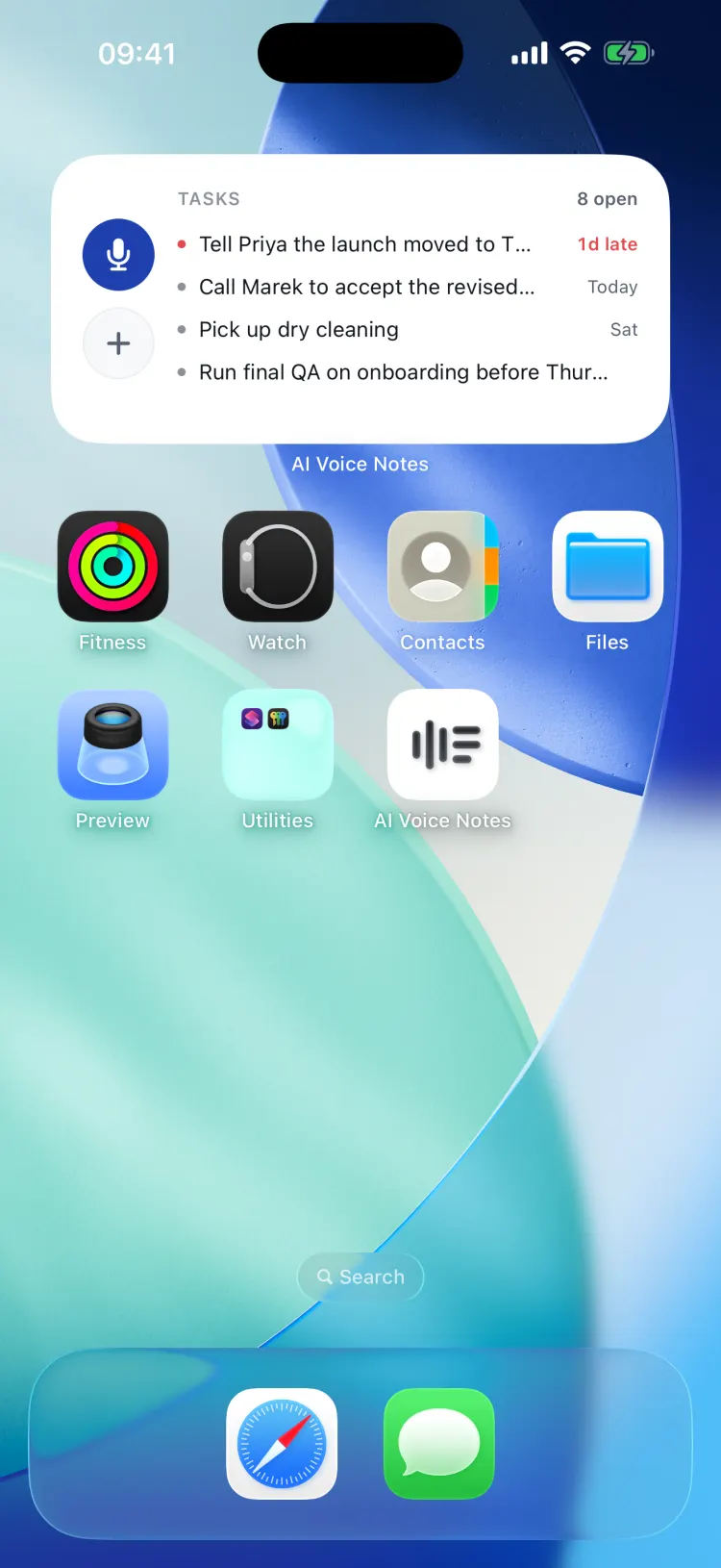
Home screen widget
Your open tasks at a glance, plus one-tap record and new-task buttons.
Web app
The big-screen companion: a board of your folders, tasks, notes, calendar, weekly review, and Ask AI, in any browser.
Open the web appCreate a free account with Google or an email code, and your notes follow you.
Where your voice actually goes
Your recordings live on your phone. On newer iPhones, transcription happens right on the device; the cloud steps in for older phones, some languages, or when you ask for higher accuracy. Turning a transcript into a structured note uses our servers over an encrypted connection.
Want nothing to leave the device? Download an offline transcription model, and on supported iPhones the summary can be written on-device too.
Before you download
Does it work without a connection?
Recording always works offline, and your notes stay readable. With a downloaded model, transcription runs offline too, and on newer iPhones the summary can be written on-device. Anything that does need the network is queued and catches up as soon as you're back.
Do I need an account?
Not on iPhone: the app works fully as a guest. Sign in later (Apple, Google, or an email code) when you want your notes on the web app, your watch, or a second device. The web app itself needs a sign-in, since a browser has to know whose notes to show.
What does Premium add?
Recordings up to 60 minutes instead of 5, a bigger monthly AI allowance, custom summary styles, custom vocabulary, connected apps like Notion and Google, and PDF export. Capture is never blocked: on any plan you can always record, and notes that are over the month's allowance simply wait for it to reset.
Is my audio used to train AI models?
No. Your recordings and transcripts are processed to produce your notes and for nothing else.
Can I get my notes out?
Any note exports as Markdown, plain text, PDF, or the original audio, and can be sent to Apple Notes, Obsidian, or Notion. Tasks push to Apple Reminders, Google Tasks, and Google Calendar. Your whole account exports in one archive from Settings.
What languages does it handle?
Transcription detects your language automatically and handles dozens of them. You can also pin a capture language in Settings if you switch between two.
Your next good idea is thirty seconds of talking away.
Stop thumbing out notes you'll never reread. Just say it.